leiavoia.net
http://www.leiavoia.net/
Personal site of leiavoia
http://www.leiavoia.net/
Stick a fork in it!As of today, Ortho is 100% done! The last of the UI issues was ironed out, all the last todo-list items were checked off, game-pause was added, and i even had some time to plant an easter egg.
Next, I need to compile and package the game for Windows/Mac/Linux systems before it can be distributed. For that I'll need some help. If anyone is interested, please contact me at leiaxvoia@xleiaxvoixax.netx (remove the X's for anti-spam).
]]>Projectsleiavoia2010-12-26T18:17
http://www.leiavoia.net/
I Not DeadI took a little break in development, which is now on the final approach to completion. There are a few outstanding UI usability issues to address and some needed "pause" functionality, but that's about it.
I spent a lot of time getting a simplified configuration screen nailed down. It had a lot of underlying problems with the GUI code which admittedly isn't very robust. I have to work with what i've got.
Game modes now affect your Awesomeness rating. Playing on a harder difficulty or without Specials will give you an Awesomeness boost (subject to beta test balancing).
A longstanding cosmetic transition bug was also finally fixed. Crossfading screens have been restored!
After these few last issues get finished, i have to shop around for some volunteer help to get the game compiled for Windows and Mac. Then it can be beta tested. When it's all done, it can be distributed.
]]>Projectsleiavoia2010-12-25T01:43
http://www.leiavoia.net/
High ScoresI finally cracked 100% awesomeness.
Oh, and i built a scoreboard too.]]>Projectsleiavoia2010-10-27T01:34
http://www.leiavoia.net/
Ghost Cursor and Sound EffectsAfter extensive testing, i decided that the best way to control the cursor is the way i've been controlling the cursor: pressing the arrow keys moves the cursor one square over. I decided against the more fluid press-and-hold type movement. However, i did add movement ghosting, seen here. This at least makes it look like the cursor is fluidly sliding from place to place, even though it doesn't.
I've also been adding sound effects lately. All the effects that i want are currently in. The explosions are now even more spectacular.]]>Projectsleiavoia2010-10-24T04:03
http://www.leiavoia.net/
Even More Specials, Difficulties, Game-Overs, and PyrotechnicsMany more specials have been added. They all now randomly rotate when files advance. If you see something good, you had better grab it. Specials now include heart (1UP), quarter-speed, bomb, randomizer, reverse input, and bandaid (cancels bad specials). Some specials are collectible.
Difficulty modes have now been added. Hard mode now has FIVE shape types. Punishing mode has five shape types and two board entries at a time instead of the normal one. It also has the "play nice" setting turned off :-)
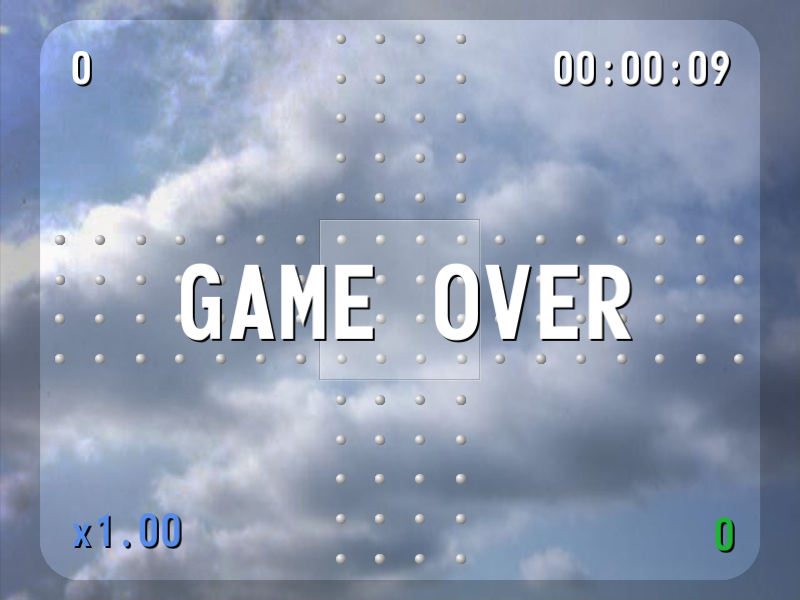
Game-Over mechanics have all been added. It now calculates your Awesomeness Level based on hits, score, and endurance.
As a special twist, there's an entirely new game mechanic being added called Color Chaining. If you hit over 10 shapes of the same color in a row, you start getting incremental boosts to your multiplier. This way, it makes you choose whether or not you want points now or possibly sacrifice those points for a multiplier boost.
And of course, many refinements in pyrotechnics.]]>Projectsleiavoia2010-10-08T00:34
http://www.leiavoia.net/
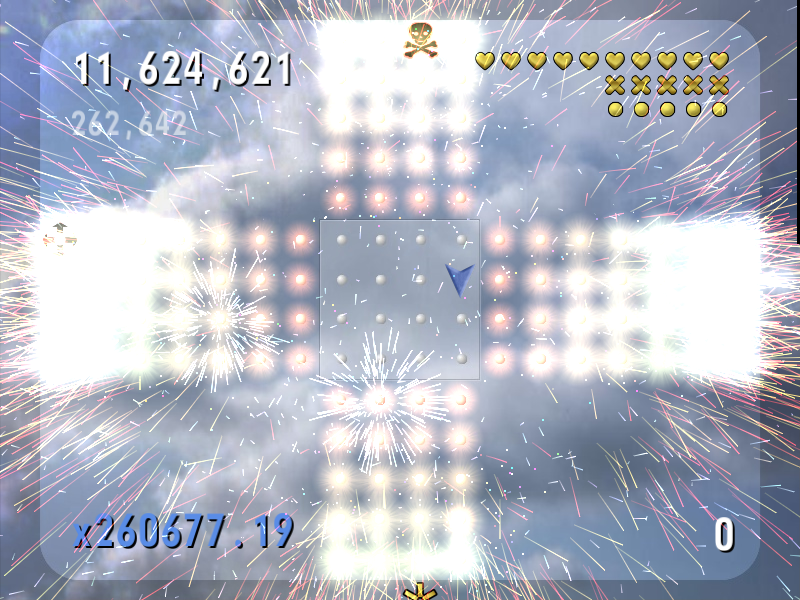
Warnings, Settings, Massive FireworksStarted added game settings into an external file for ease of use. Added the clear-screen special, which of course makes a disastrous conflagration of the screen. Also added red-light warnings on threatening files. This really helps with actual gameplay. Timer-based speed ramps were added which speed the game up as you get closer to the target game length, at which point you will be completely crushed by oncoming shapes.
]]>Projectsleiavoia2010-09-06T21:35
http://www.leiavoia.net/
Specials and PolishSpecials "x2", "x3", and "Havoc" (quintuple-speed!) have been added. The ShapeBox order-entry has been cleaned up so that it can accept multiple shapes at a time. In theory you can add a shape to four different files on the same box. I'm saving this for a more punishing difficulty level. A nicer "materializer" effect was also added so that the shapes look like they are materializing from the ether when they get added to the board.]]>Projectsleiavoia2010-09-06T03:09
http://www.leiavoia.net/
PlayableOrtho is fully playable as of today. The other three sides were added in and wired up. It still lacks the polish of a complete game, however. It is missing a front page, setup, instructions, some transitional fx, and "specials".]]>Projectsleiavoia2010-09-04T02:37
http://www.leiavoia.net/
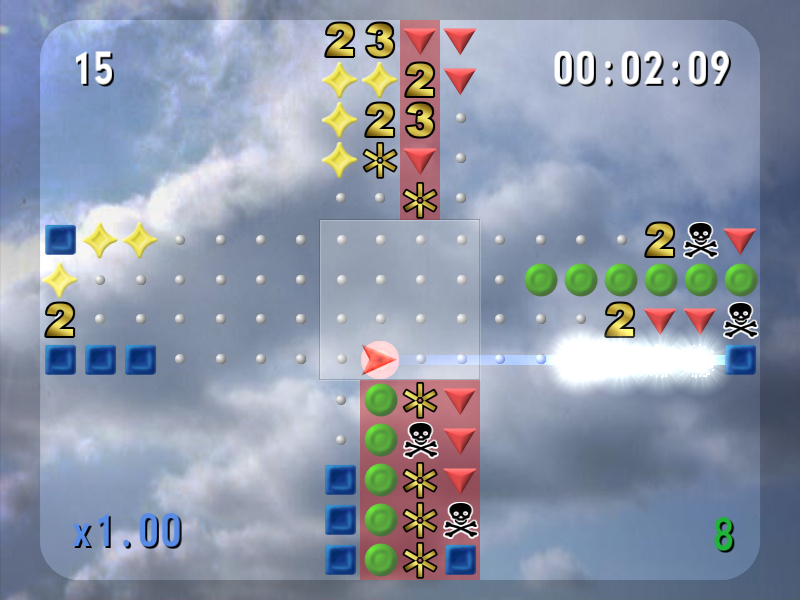
Working on one sideThe cursor can now move and target a specific file on the south side. Only the south side is implemented so far. Points, hits, and multiplyer all work off of actual game rules now. Shape advancement has been animated. Shapes now enter the screen according to actual game rules. Even more special fx have been added.]]>Projectsleiavoia2010-09-02T18:47
 I took a little break in development, which is now on the final approach to completion. There are a few outstanding UI usability issues to address and some needed "pause" functionality, but that's about it.
  I finally cracked 100% awesomeness.
 After extensive testing, i decided that the best way to control the cursor is the way i've been controlling the cursor: pressing the arrow keys moves the cursor one square over. I decided against the more fluid press-and-hold type movement. However, i did add movement ghosting, seen here. This at least makes it look like the cursor is fluidly sliding from place to place, even though it doesn't.

 Specials "x2", "x3", and "Havoc" (quintuple-speed!) have been added. The ShapeBox order-entry has been cleaned up so that it can accept multiple shapes at a time. In theory you can add a shape to four different files on the same box. I'm saving this for a more punishing difficulty level. A nicer "materializer" effect was also added so that the shapes look like they are materializing from the ether when they get added to the board.]]>
 Ortho is fully playable as of today. The other three sides were added in and wired up. It still lacks the polish of a complete game, however. It is missing a front page, setup, instructions, some transitional fx, and "specials".]]>
 The cursor can now move and target a specific file on the south side. Only the south side is implemented so far. Points, hits, and multiplyer all work off of actual game rules now. Shape advancement has been animated. Shapes now enter the screen according to actual game rules. Even more special fx have been added.]]>